INDRA demo
INDRA in five steps.
Agents draft, you approve, every action leaves a receipt. Here is that, one screen at a time, then a rule you can try yourself. Every screen is an example business with made-up data.
Example Screenshots of INDRA’s live demo, taken 26 October 2026 and 27 October 2026.
From a waiting draft to a signed receipt.
- Step 1 of 5
Today shows what is waiting.
You open INDRA and the first screen lists the drafts waiting for your OK, the money owed and the work waiting.
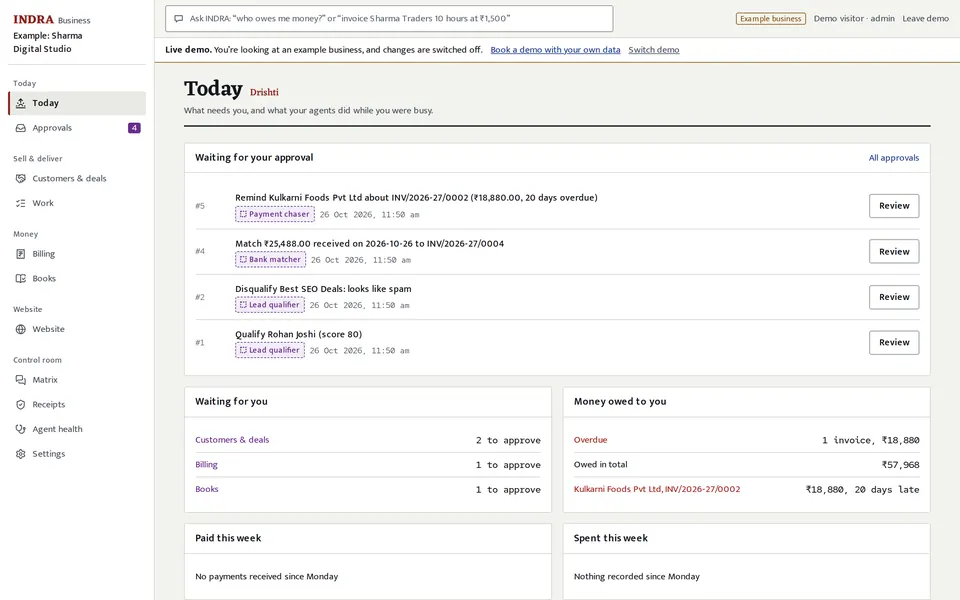
Example: the Today screen of an example business, 26 October 2026. - Step 2 of 5
An agent drafts the work.
The draft says who wrote it and why. Here an agent scored a sales lead; in step 1, one drafted a reminder to a customer 20 days overdue.
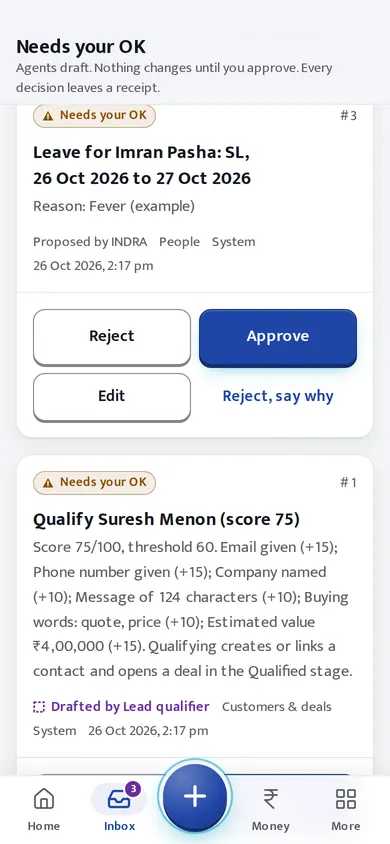
Example: an agent's draft in the inbox of an example company, 27 October 2026. - Step 3 of 5
You approve it, or send it back.
Approve it, edit it, or reject it with a reason. Nothing changes until you decide.
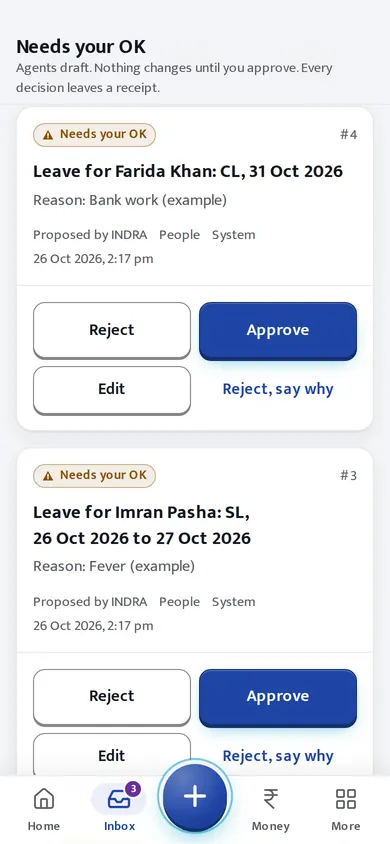
Example: the Approve, Reject and Edit buttons on a draft, 27 October 2026. - Step 4 of 5
Every decision leaves a receipt.
Receipts are listed newest first, and INDRA can re-check every fingerprint, link and signature on request.
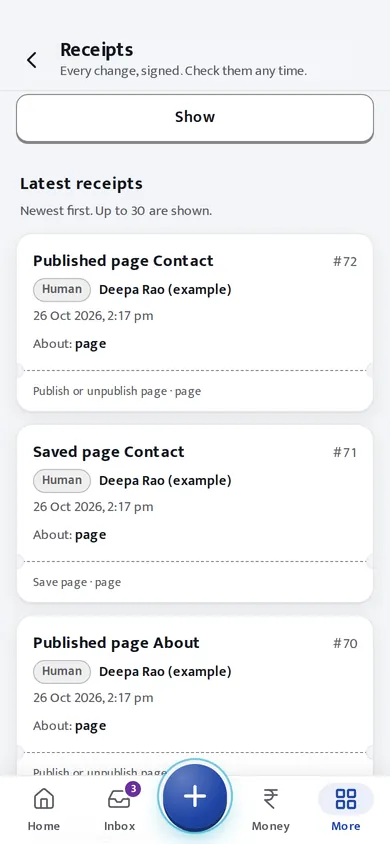
Example: the signed receipts, newest first, 27 October 2026. - Step 5 of 5
Hotels and homestays get a front desk.
Occupancy tonight, arrivals and guests in house, on a phone. This is the example homestay; the hotel demo has a front desk too.
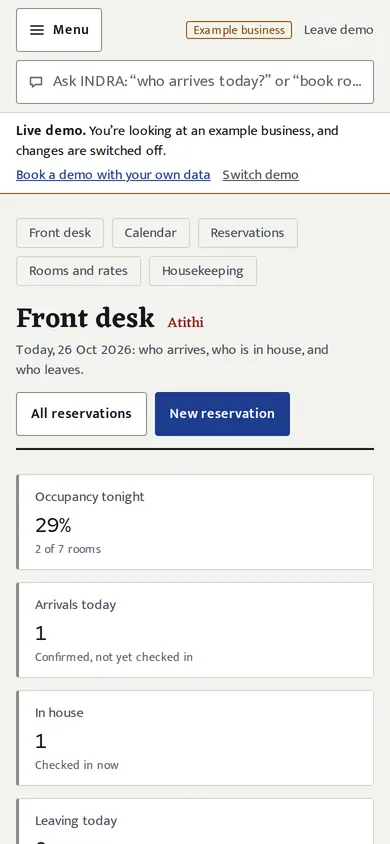
Example: the front desk of an example homestay, 26 October 2026.
Now be the person who approves.
Give an agent a job, read its draft, approve it or send it back, and watch the receipt chain. It runs in your browser and nothing is sent anywhere.
Runs entirely in your browser. No AI model is called (the drafts are examples written in advance) and nothing is sent anywhere. The fingerprints are real SHA-256.
You ask
The agent drafts, you decide
Pick a job and ask the agent. Its draft appears here, and nothing goes anywhere until you decide.
Receipts prove it
No receipts yet. Even a 'send back' leaves one.
Make two receipts, then try to change the first one.
Each receipt stores the fingerprint of the one before it, so changing an old receipt breaks the next link, even if the forger re-makes its own fingerprint. Real receipts are also signed with a key, which this demo leaves out.
Pick the business you want to look at.
Each button opens INDRA’s demo page. There, pick the business and choose “Just look around”: every page opens and changes are switched off.
A company, A to Z
Website, customers, deals, projects and hours
See 3 drafts waiting for your OK (opens INDRA)A hotel
Front desk, arrivals and departures
See tonight's front desk (opens INDRA)A homestay
Today's arrivals and the guest in house
See a homestay's enquiries (opens INDRA)
Example The three businesses are examples on INDRA’s demo, with made-up names and numbers.
Want this on your own business?
Open your own private copy of INDRA, or tell us about your business on a call.